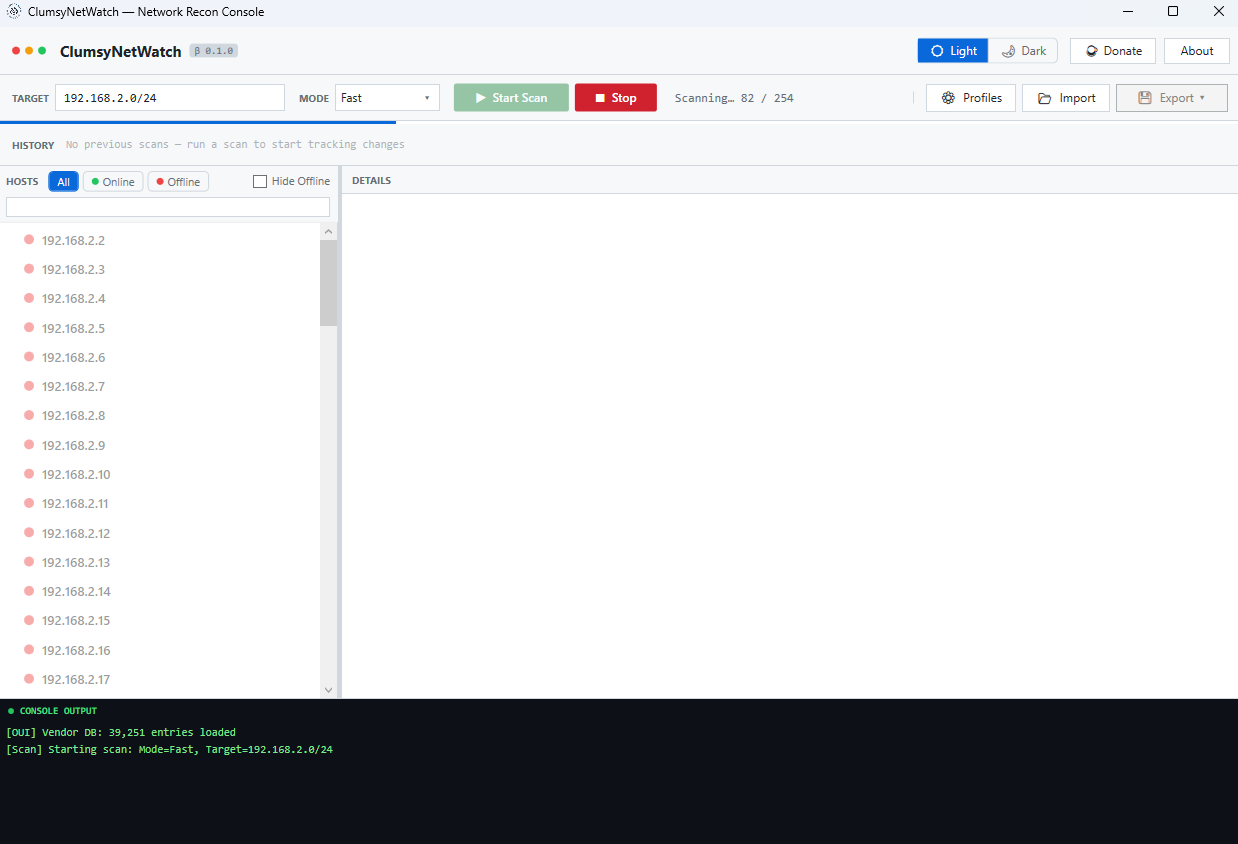
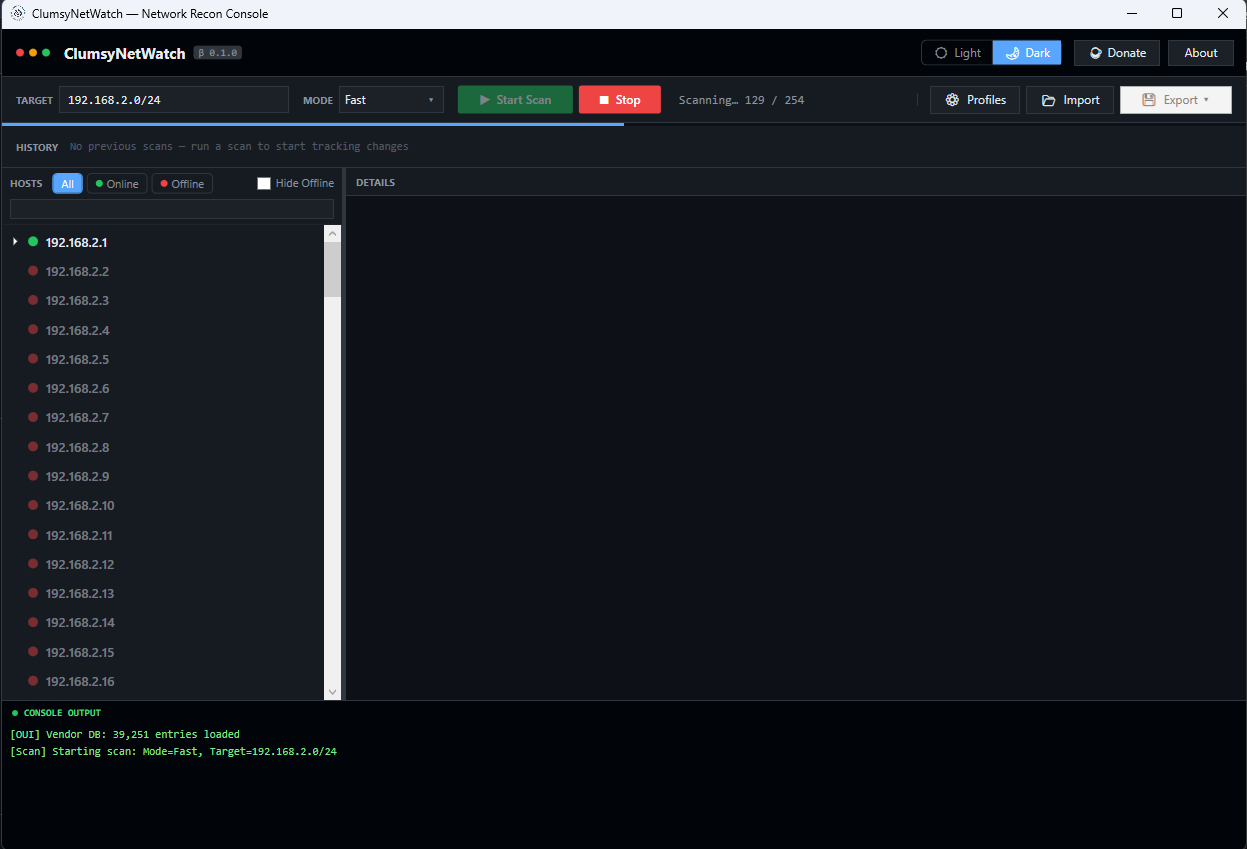
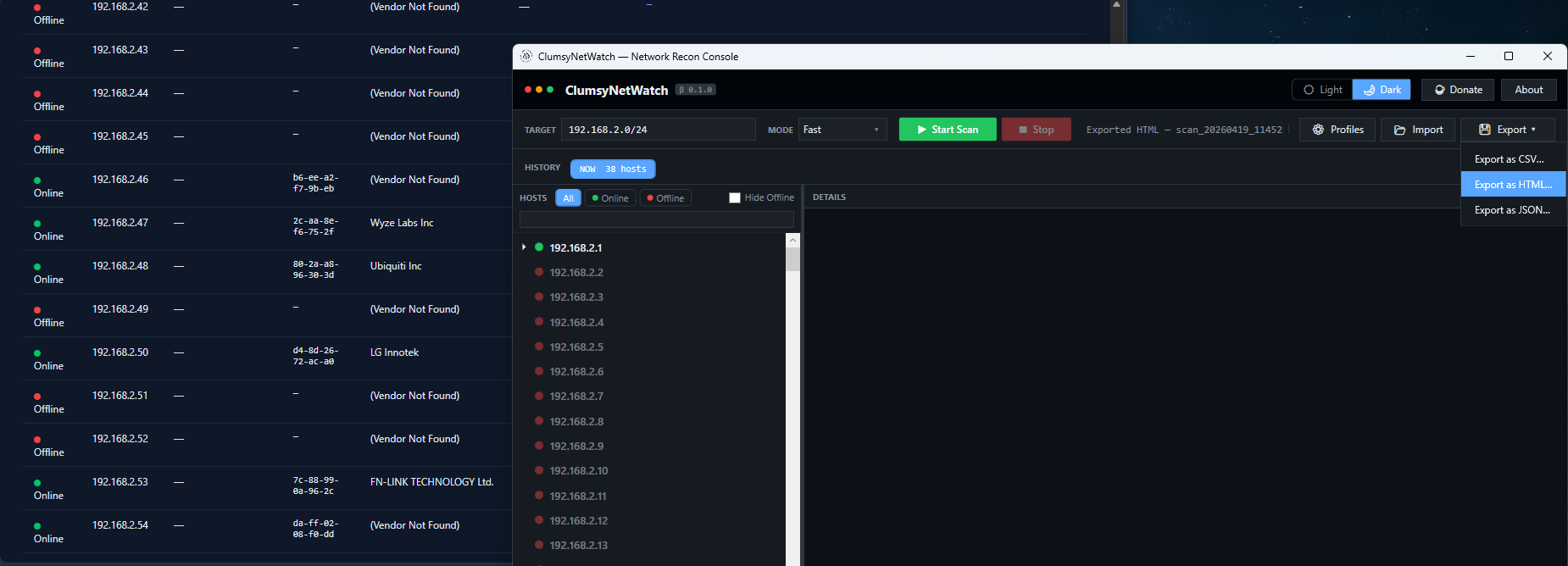
Now available: ClumsyNetWatch™ v0.9.5 RC2 is available. Windows may display a security warning because the app is not yet code-signed. Click More info → Run anyway to proceed. Go to downloads.
ClumsyNetWatch™
v0.9.5 RC2 · Windows
Tactical Network Reconnaissance Console
A fast, lightweight Windows scanner for local networks. Discover hosts across multiple targets,
inspect ports and TLS, launch SSH or RDP with saved per-device credentials, surface real security
risks, and track changes over time - all from a single portable executable.
Free for individual use · Donations appreciated · Commercial license required for team, multi-copy, or MSP use · Windows 10/11 x64 · Installer (47.2 MB) or portable .exe (160.9 MB)
Installer availableNo runtime requiredNo telemetry without consentNo adsNo account required
What it does
ClumsyNetWatch™ is built for homelabbers, sysadmins, small IT teams, and MSPs who need
fast local network visibility without dragging in a full monitoring stack. Run one scan
across multiple subnets, review live hosts and open ports, inspect TLS and security findings,
launch SSH or RDP workflows faster, and compare snapshots later to see exactly what changed.
No cloud. No subscription. No agent deployment.
Who it's for
Homelabbers
Know exactly what's on your network and what's listening.
Sysadmins
Fast inventory and change tracking without enterprise tooling overhead.
Small IT teams
Network audits and security checks without NMS budget or complexity.
MSPs
Periodic network reviews for managed clients. Commercial license required.
Features
Multiple Subnet Scanning
Scan comma-separated subnets, ranges, or single IPs in one run. Overlapping targets are deduplicated automatically.
Deep Host Discovery
Ping sweep + hostname resolution via DNS, mDNS, LLMNR, and NetBIOS. Every device found.
Offline Vendor Lookup
Full IEEE MAC address database embedded inside the exe. No internet required, ever.
Per-Device SSH & RDP Launch
Save host-specific SSH and RDP credentials, launch sessions from the context menu, and skip repetitive login typing.
Network Statistics Panel
Open a post-scan stats window with host counts, top vendors, device types, top ports, and a security overview.
Export Reports
Export as CSV, branded HTML report, or JSON. Import previous JSON scans back into history.
Custom Credential Manager
Add your own username/password pairs to extend default credential checks. Usernames stay visible, passwords stay masked.
Wake-on-LAN
Send magic packets to wake sleeping hosts directly from the right-click context menu.
Dark / Light Theme
Auto-detects your Windows system theme. Switch anytime with the theme toggle.
Security Risk Flags
Automatic per-host analysis highlights weak services, cert issues, SNMP defaults, and accepted default credentials — with passwords always masked in the UI.
Device Labels & Notes
Right-click any host to set a friendly name (NAS, Dad's PC, Smart TV) and free-text notes. Persisted across sessions and searchable in the filter bar.
Preferences & Auto-Rescan
Configure minimize-to-tray, startup behaviour, balloon notification threshold, and auto-rescan intervals (5 / 15 / 30 min) — all saved to disk.
Background Monitoring
Minimize to the system tray and receive Windows balloon notifications whenever new devices join or known devices disappear from your network.
In-app feedback and bug reporting — Send feedback, report bugs, or request features directly from ClumsyNetWatch — new Feedback and Bug buttons in the title bar open a dialog that submits to Clumsy's Lab. Successful submissions return a reference number for follow-up. Nothing is ever sent silently; every submission is user-triggered.
Privacy-respecting diagnostics — You can optionally include basic diagnostics (app version, OS, runtime, and host count) with your report. No IP addresses, hostnames, scan results, or file paths are ever included. Machine fingerprinting is hashed client-side before submission.
ClumsyNetWatch v0.9.5 RC2 is live. Two download options are available — the installer sets up Start Menu shortcuts and an uninstall entry in Windows Settings, while the direct run exe works without any installation.
Only use ClumsyNetWatch on networks you own or have explicit authorization to assess.
This is a reconnaissance tool, not an exploitation framework.
Unauthorized network scanning is illegal and a violation of the Terms of Use.
ClumsyNetWatch runs entirely on your machine. Scan results never leave your device.
No account required. No ads. Telemetry is opt-in via a first-run consent dialog and
can be disabled at any time in Preferences. See the Privacy Policy for full detail.
Common Windows network scanning workflows
Looking for a focused Windows network scanner or IP scanner? These short pages explain the practical use cases without turning the homepage into keyword soup.
ClumsyNetWatch is being built independently by Clumsy's Lab LLC. If the tool saved you time,
helped you find a problem, or you want to help fund code signing and future releases,
support is welcome.
You can back the project directly at ko-fi.com/clumsyslab. The app remains free for individual use. Team, multi-copy, and MSP or client-service use still require a commercial license. For general help or support questions, email support@clumsyslab.tech.